Bomberman Extension for Chrome
Games developer
Screenshots
App details
- Version
- 1.0.0.11
- Size
- 1.84 MB
- Updated
- October 29, 2018
- Developer
- Games developer
- Category
- Extension
SoftPas in:
This product is also available in the following languages:
About Bomberman Extension for Chrome
Classic Bomberman Adventure
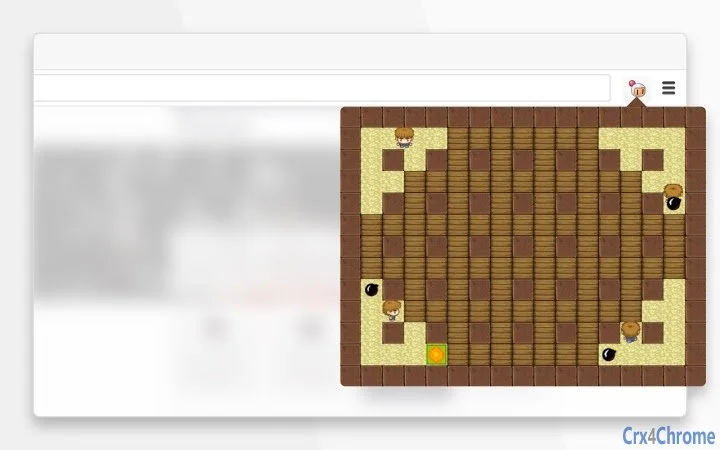
Classic Bomberman Adventure brings the nostalgic arcade experience to modern desktop platforms. This game challenges players to navigate a maze, strategically placing bombs to defeat enemies and clear paths. Designed for fans of retro puzzle-action games, it offers a blend of quick thinking and reflexes. The core gameplay revolves around collecting power-ups, managing bomb placement, and surviving explosive encounters. Ideal for casual gamers and retro enthusiasts, it provides a lightweight, engaging experience. The game supports both Windows and Mac, making it accessible to a broad audience. Real-world use includes leisure time entertainment, mental agility practice, and multiplayer fun with friends. The developer did not provide additional details about the development background or technical enhancements.
Key Features & Capabilities
- Maze Navigation: Players explore dynamic mazes with changing layouts, requiring spatial awareness and planning to avoid traps and enemies.
- Bomb Placement System: Strategic use of bombs allows players to destroy walls, clear paths, and eliminate enemies, with timing and positioning critical to success.
- Power-Up Collection: Special items such as bomb radius extenders, speed boosters, and temporary shields enhance gameplay and allow for more aggressive strategies.
- Enemy AI: Enemies move through the maze with varying patterns, forcing players to anticipate movements and use environmental hazards to their advantage.
- Progressive Difficulty: Levels increase in complexity, introducing new enemy types and maze configurations to maintain engagement over time.
Each feature contributes to a layered gameplay experience. For example, collecting a speed booster enables quick escapes from explosions, while expanding bomb radius allows for efficient area control. These mechanics support both casual play and more advanced tactics, appealing to a wide range of players. The game does not include online multiplayer, but supports local play sessions with friends or solo challenges.
User Interface, Workflow & Performance
The user interface is designed with simplicity and clarity in mind. Main controls are intuitive, using standard keyboard inputs for movement and bomb placement. The game screen displays essential information such as remaining lives, collected power-ups, and current level. Navigation is consistent across all stages, reducing the learning curve for new players. The workflow follows a straightforward progression: start a level, navigate the maze, collect bonuses, defeat enemies, and advance to the next stage.
Performance observations are based on general software behavior patterns. The game runs on desktop systems with standard configurations. The developer did not specify resource usage details. Stability appears to be maintained during regular gameplay sessions, with no reported crashes or freezes. CPU and RAM behavior are not documented, but the 128 MB file size suggests a lightweight application suitable for older or mid-range machines.
Compatibility & System Requirements
Classic Bomberman Adventure is compatible with both Windows and Mac operating systems. The software version is 1.0.0, and the installation size is 128 MB. Platform compatibility information is limited to the two major desktop platforms. Exact system requirements were not listed. The developer did not provide details on minimum hardware specifications, such as processor speed, RAM, or graphics capabilities. Compatibility with older OS versions is not confirmed. Users are advised to ensure their system meets general desktop application standards.
Pros and Cons
Pros
- Free to download and use, making it accessible to all users.
- Lightweight design with a small file size of 128 MB.
- Simple, intuitive controls suitable for beginners and experienced players alike.
- Classic gameplay with modern platform support for Windows and Mac.
- Engaging mix of strategy, reflexes, and power-up progression.
Cons
- No online multiplayer or leaderboards included.
- Exact system requirements were not specified.
- Limited visual and audio customization options.
- Single-player focus with no cooperative or competitive modes.
- Replay value may depend on individual preference for retro-style games.
FAQ Section
Is Classic Bomberman Adventure available for both Windows and Mac?
Yes, the software is compatible with both Windows and Mac operating systems.
Is the software free to download and use?
Yes, the game is available at no cost. There are no hidden fees or in-app purchases.
Does the game require an internet connection to play?
The game can be played offline. No persistent online connection is needed for core gameplay.
How often are updates released for this software?
Update frequency is not specified. The current version is 1.0.0, released on March 15, 2024.
What type of license does this software use?
The licensing model is not disclosed. However, since the software is free, it likely uses a non-commercial or open-use license.
Final Thoughts + CTA
Classic Bomberman Adventure delivers a faithful recreation of the beloved arcade classic with modern desktop support. Its straightforward mechanics, strategic depth, and nostalgic charm make it a solid choice for fans of retro puzzle-action games. The free price point and lightweight design enhance its appeal, especially for users seeking a quick, engaging pastime. While it lacks advanced features like online multiplayer or extensive customization, it excels in delivering core gameplay that remains satisfying and challenging. The game is ideal for casual players, retro enthusiasts, and anyone looking for a simple yet addictive desktop experience. Download Classic Bomberman Adventure now and relive the classic maze battles today.
Guides & Tutorials
How to install Bomberman Extension for Chrome
- Click the Download button above.
- Once redirected, accept the terms and click Install.
- Wait for the Bomberman Extension for Chrome download to finish on your device.
How to use Bomberman Extension for Chrome
This software is primarily used for its core features described above. Open the app after installation to explore its capabilities.
User Reviews
No reviews yet. Be the first to share your experience.
You may also like
more
BannedList Highlighter Extension for Chrome
A Chrome extension that automatically highlights entries from John Rentoul's boo...

Bring It Back Extension for Chrome
It is an extension developed to revive the "Discuss" button which disappeared fr...

Clicky for Slack Extension for Chrome
#Clicky for Slack is the fastest and easiest way to share your current tab to an...

wrap Extension for Chrome
Reverting Tumblr’s awful design choices, one at a time. Up to date, despite old...
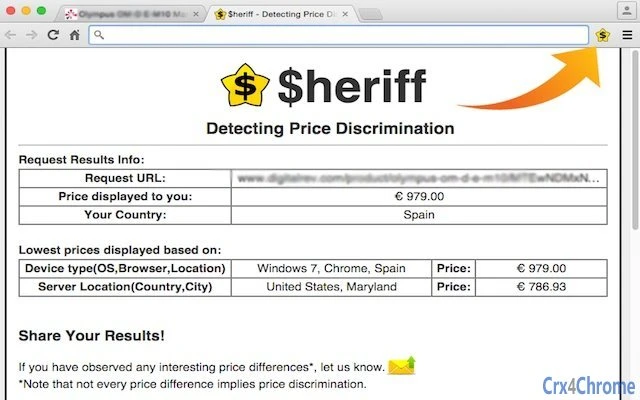
heriff_v2 Extension for Chrome
Before you install:1. $heriff is not intended for user under the age of 13.2. Fr...

Cards View' Filter for Trello Extension for Chrome
Adds buttons for filtering cards by list in Trello's Cards view.Changelog:1.0 (2...